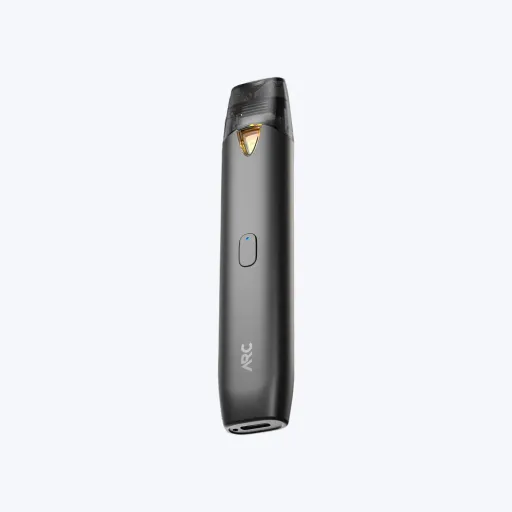
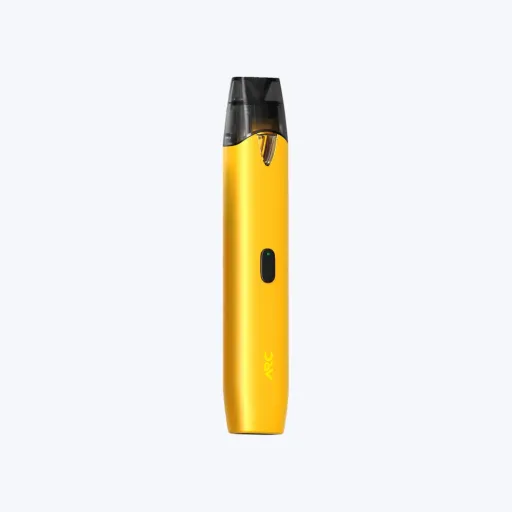
HardwareFor this job
By the Empty Vapes trade desk. Published 2026-08-21, last updated 2026-08-21. How we write these.
One decision, made at the board, changes what your customer has to be told, what can fire the device by accident, and how a returned unit is diagnosed. It is worth more attention than it usually gets.
An auto-draw device has a sensor sitting in the airpath. When the user inhales, the pressure in that path drops, the sensor sees the change and the board closes the circuit to the coil. Nothing is pressed and nothing is switched on. The inhale is the input.
A button device has a mechanical switch. The user presses it, the circuit closes, and the coil heats whether or not anyone is drawing on it. Most button devices also carry a lock, usually a rapid multi-click sequence, because a switch that can be pressed deliberately can also be pressed in a pocket.
That single difference propagates. It sets how much you have to print on the pack, whether the device can offer a warm-up step, what an inspector has to do to test a unit, and what a customer means when they say it does not work.
| Auto-draw | Button-activated | |
|---|---|---|
| What closes the circuit | A sensor reading the pressure drop of an inhale | A mechanical switch pressed by the user |
| What the user has to learn | Nothing | The unlock sequence and how to hold the button |
| Openings added to the housing | None beyond the airpath | One, at the button, with a cap or membrane over it |
| Ingress and cosmetic risk | Lower. Fewer parts on the outside | Higher. A moving part in a hole, aligned during assembly |
| Access to a warm-up step or modes | Only if the board applies them automatically | Available, through click patterns |
| Lock-out | Rarely offered | Usually offered, by a click sequence |
| How it fires unintentionally | If the sensor threshold is met by something other than an inhale | If the button is pressed in a pocket or a carton while unlocked |
| Effect of a wet or blocked airpath | The device may not fire at all | The device still fires; the fault shows as no vapour |
| What sets the draw effort | Sensor threshold and airflow design together | Airflow design alone |
| Testing a unit at inspection | Air has to be applied to every unit tested | An inspector can fire it by hand |
| How a fault presents on return | "It does nothing", which covers several causes | Separates does not fire from fires but produces nothing |
| Where it fits | The simplest possible user experience, and lines sold at volume | Ranges that need a lock, a warm-up or selectable power |
The threshold is the whole product. Set it low and light draws work but the device is easier to trigger by accident. Set it high and the device is stable in a carton and a customer with a gentle draw thinks it is broken. There is no setting that is correct for everyone, which is why this is a specification line and not a detail.
The threshold also cannot be read off the sensor alone. The sensor measures a pressure change, and how much pressure change a given inhale produces depends on how restricted the airpath is. Change the airflow and you have changed what the sensor sees, so the two have to be agreed together and tested on the finished device rather than on a bench.
Then there is everything that can reach the sensor. Condensate, oil that has travelled down the airpath, or dust from the assembly line all sit in the same channel the sensor reads. A device that fires reliably at the factory and intermittently after a month is usually telling you something about that channel.
Because the sensor responds to pressure, it is worth asking directly how the device behaves in transit. Does it leave the factory locked or asleep, what wakes it, and how does the supplier test for unintended activation inside a packed carton. A supplier who has thought about this will answer immediately. One who has not will change the subject.
A button is a hole in the housing with a moving part in it. That is an ingress path for moisture and oil, an alignment step in assembly, and a cosmetic reject class of its own. It also gives a customer something to press before they know what it does.
Instruction is the second cost. Every button device needs its sequence printed somewhere the customer will read, and retail staff have to be able to explain it. A support call for a locked device that the customer believes is dead costs more than the button saved.
A lock sequence is worth having and it is not a safety certification. It reduces casual and accidental activation. It is not a child-resistant feature and should never be described as one on packaging: that is a separate, tested and certified matter, covered in child-resistant certification.
Plenty of hardware carries a sensor and a button. Typically the sensor does the firing and the button carries the extras: lock, warm-up, mode selection. That combination gives the customer the simple experience by default and gives you somewhere to put a feature.
It also means the question on a datasheet is not which one the device has, but what each one does. Ask whether the button fires the coil as well, whether the device can be used without ever pressing it, and what happens if both are used at once. A user-selected warm-up needs an input, so on a device with no button any warm-up must be automatic and decided by the board. See preheat explained for what that step is for.
Fold the results into your incoming checks rather than leaving them in an email. The wider inspection routine is set out in disposable vape quality control.
Choose auto-draw when the product has to work without explanation, when you want the fewest openings in the housing, and when you have no feature that needs an input. Choose a button when you need a lock-out, a warm-up step or selectable power, and accept the instruction burden that comes with it. Choose both when you want the default to be simple and the features to exist.
Whichever you pick, get the sensor threshold or the switch rating, the cut-off time and the transport state in writing, and test the finished device rather than the description. Empty disposable bodies ship without fill, and the cell inside them still carries producer duties. CE, RoHS, REACH and EU Battery Regulation documentation is available on request and WEEE support is available; the registrations stay with whoever places the finished product on the market. See compliance.
Trade guidance for B2B buyers, not legal advice. Empty hardware only, no cannabinoids and no e-liquid. B2B trade only, 18+ / 21+ per market. The buyer is responsible for the fill, for finished-product compliance and for product registration in their market.
Browse the range in the shop, full specs, trade pricing after a free account, and CE and compliance docs on request.
Browse the catalogueGive us the hardware, the quantity and the market. We reply with a price, a specification and a lead time. A request for a quote is not an order.
Empty hardware only. No cannabinoids and no e-liquid. We sell to companies only.